
Salesforce Development Implementation Process

Manish Kumawat
Last Updated on: 30 September 2026



The Salesforce development and implementation process is multiphase way to plan, set up, build, test and launch Salesforce according to your business needs. This guide takes you through the process in 7 phases starting with gathering needs and planning the solution to ending with development, testing, launch and support after launch. Each phase of the Salesforce development process enables teams to build and deploy a Salesforce solution that mirrors their work, needs, and business goals.
Table of Contents
13 sectionsPhase 1. Gather Requirements and Define Goals
What happens
The Salesforce development and implementation begins with understanding the business needs. The team learns what business problems need to be solved with Salesforce, who will be using the system, what processes need to be improved and what data needs to be managed in the Salesforce development process.
The team can talk about the Salesforce implementation plan, sales, customer service, marketing, commerce, reports, automation, integrations, security, and other business needs. They also review existing systems and work processes to decide what needs to stay, what needs to be changed, what needs to be eliminated and what needs to interface with Salesforce.
The requirements should be documented as specific business and technical needs, not as broad objectives. For example, instead of saying the company needs better sales visibility, the requirement can explain what information sales staff need, how they should add that information, and what reports or dashboards managers need.
Who does it
Business stakeholders, Salesforce consultants, business analysts, product owners, and representatives.
How long it typically takes
This Salesforce implementation plan phase commonly takes 1–3 weeks, depending on the number of departments, processes, users, and existing systems involved.
What the phase produces
- Business and technical requirements
- Current-state process documentation
- Salesforce implementation scope
- User and stakeholder requirements
- Initial integration and data requirements
- Project priorities and assumptions
Exit criteria
The phase is complete when the main requirements, project scope, stakeholders, priorities, and key dependencies are written down and approved. The team should have enough clear information to plan the Salesforce solution without depending on major questions that are still unanswered.
Phase 2. Design the Salesforce Solution
What happens
Next we will translate the business needs into a simple Salesforce plan. Here the team determines how Salesforce will assist with the required work and what Salesforce tools, objects, fields, automation, security settings, reports and integrations are needed.
First, the team examines what Salesforce can do out of the box. Custom code is only applied if the need cannot be satisfied by the standard features. That will make it easier to handle the system in the future.
The team will also determine how data will be stored, who will have access, how the work will be done, how Salesforce will interface with other systems, and what reports are needed. If Salesforce needs to connect to another application, the team will determine which systems will connect and how the data will flow.
The team also decides where to develop and test and how to push changes to production. Teams might use sandboxes, source control, the Salesforce CLI, and deployment tools, depending on the project.
Who does it
Salesforce architects, consultants, business analysts, developers, administrators, data specialists, and integration specialists.
How long it typically takes
A typical solution-design phase can take 1–3 weeks. Larger implementations may require additional time for architecture, security, data, and integration planning.
What the phase produces
- Salesforce solution architecture
- Data model and object design
- Configuration and customization plan
- Integration design
- Security and access model
- Reporting requirements
- Development and deployment approach
Exit criteria
The phase is complete when the solution design has been reviewed and approved by the appropriate business and technical stakeholders. Major architecture, integration, security, and data decisions should be resolved before development begins.
Phase 3. Configure and Develop Salesforce
What happens
This approved plan is then uploaded into a working Salesforce system. Admins configure default Salesforce features. Developers build custom features for when standard configurations aren’t enough.
This configuration may include objects, fields, page layouts, validation rules, flows, user access, reports, dashboards and other Salesforce functionality. Development of custom features can use Apex, Lightning Web Components, APIs or other Salesforce tools if needed.
The team also sets up Salesforce integration with other apps and develops the required data processes. Development should be done in the right environments and avoiding direct and unplanned changes on production.
Salesforce CLI, source control, sandboxes and deployment tools can be used to manage development and releases. Version control helps teams track changes and move approved work between environments.
Who does it
- Salesforce administrators set up Salesforce
- Developers build custom features and connect Salesforce with other systems.
- Technical architects help with complex technical work
- Business analysts or product owners explain the business needs and answer questions when needed.
How long it typically takes
This is often one of the longest phases of the Salesforce development process and can take 2–8 weeks or longer.
What the phase produces
- Configured Salesforce environment
- Custom Salesforce functionality
- Automation and workflows
- Reports and dashboards
- Integration components
- Security configuration
- Unit-tested development work
Exit criteria
Development is ready for the next step when the agreed features are built, the code and settings have been checked, and the completed features are ready for formal testing.
Phase 4. Prepare and Migrate Data
What happens
Implementing Salesforce also involves preparing the business data for the new system. The team identifies the data to be migrated to Salesforce, and verifies that it is accurate, complete and useful.
Old data may have duplicate records, varying formats, missing details, old information, or fields that don’t match Salesforce. The team will map the old fields to Salesforce fields and create some simple rules to clean, update and remove duplicate data and verify the information.
The team usually does a test move before the final move. This spots wrong field matches, missed connections, duplicate records, and other issues before data moves into the live Salesforce system.
Who does it
Data specialists, Salesforce administrators, developers, business analysts and representatives.
How long it typically takes
Data preparation and migration can take 1–4 weeks, although complex or poor-quality datasets may require more time.
What the phase produces
- Data mapping document
- Cleaned and transformed datasets
- Migration scripts or import processes
- Test migration results
- Data validation results
- Production migration plan
Exit criteria
The phase is done when the required data has been matched, cleaned, tested and checked. The Salesforce development team also needs a clear plan for the transition of the final data to the live system. The plan should say who will do the work, when it will happen, how the data will be checked, and what to do if something goes wrong.
Phase 5. Test the Salesforce Solution
What happens
Testing is performed to check whether the Salesforce solution is working as expected and meets the original business requirements. The team tests individual features and business processes in their entirety.
The team’s responsibilities may include unit testing, system testing, integration testing, data checks, security testing, regression testing and user acceptance testing. The tests should be for actual business work, not individual fields or screens.
Integration testing ensures proper data exchange between connected systems. Regression testing tests if the new changes broke any existing features. User acceptance testing allows business users to test if Salesforce works well for their everyday work.
The team then points out the problems found during testing, figures out which ones are more important, fixes the problems and tests again.
Who does it
Salesforce developers, administrators, QA or testing specialists, integration teams, business analysts, and end users may participate. Business stakeholders are particularly important during user acceptance testing.
How long it typically takes
Testing commonly takes 1–3 weeks, depending on the size and complexity of the implementation.
What the phase produces
- Test plan and test cases
- Test results
- Defect and resolution records
- Integration test results
- User acceptance results
- Production readiness assessment
Exit criteria
Testing is complete when major and important problems are fixed or approved, all required tests have passed, integrations have been checked, and business users have approved the Salesforce solution for launch.
Phase 6. Deploy and Launch Salesforce
What happens
The Salesforce solution has been tested, approved and is ready to go live. The team assesses the final configuration, deployment items, user access, integrations, data migration steps, and launch plan.
The selected deployment method is used to deploy the changes from the development or testing environment to production. The last data migration finished on time. Then the team checks users, permissions, integrations, automation, reports and important business processes in the production system.
With a planned launch, the team can find issues and correct them quickly. In some projects the organization can roll out Salesforce in phases or extend access to a group of users before extending access to all.
User training and communication are also important at this point. Users need to know the new processes, the Salesforce features, their responsibilities, and where to get help.
Who does it
Salesforce administrators, developers, deployment specialists, consultants, business owners, IT teams, and project managers coordinate the launch. Department representatives and end users participate in final validation.
How long it typically takes
The deployment itself may take a few days to about 1 week, while launch preparation and user readiness can take longer.
What the phase produces
- Production Salesforce environment
- Deployed configuration and custom development
- Migrated production data
- Active integrations
- Trained users
- Launch and support documentation
Exit criteria
The phase is complete when the production environment is operational, critical business processes have been validated, required data is available, users can access the system, and the organization has formally moved into post-launch support.
Phase 7. Support, Monitor, and Improve
What happens
Salesforce development does not stop once the system goes live. The final stage is the continuous support and improvement phase. After launch, the team monitors system performance, integrations, automation, user adoption, data quality and business processes. After the launch the team works on issues that users may find while using the live system. The team also gets feedback from users and identifies changes that can be added in future releases.
Business needs change over time. A planned change process may add new Salesforce features, integrations, automation, reports or custom features. Regular checks allow organizations to determine if Salesforce still meets their business needs and if adjustments are needed.
Who does it
Salesforce administrators, developers, consultants, support teams, business owners, and end users contribute to ongoing improvement. The exact responsibilities depend on the organization's support model.
How long it typically takes
This is an ongoing phase rather than a fixed-duration activity. Initial care may last 1–4 weeks, followed by regular maintenance and improvement in the Salesforce development lifecycle.
What the phase produces
- Post-launch support records
- Performance and adoption observations
- Data-quality improvements
- Enhancement backlog
- Maintenance releases
- Updated documentation
- Continuous improvement plans
Exit criteria
Because this is an ongoing phase, it does not have a permanent endpoint. The initial implementation is considered successfully transitioned when the support team has assumed operational responsibility, outstanding launch issues are under control, and a process exists for managing future Salesforce changes and releases.
| Phase | Deliverable | Owner (admin/developer/architect / BA/client) | Tooling | Exit criteria | Typical duration |
|---|---|---|---|---|---|
| Phase 1 — Requirements | Requirements document, process notes, project scope | BA, architect, client | Discovery workshops, Salesforce documentation | Requirements, scope, priorities, and stakeholders approved | 1–3 weeks |
| Phase 2 — Solution Design | Solution architecture, data model, security and integration plan | Architect, BA, admin, developer | Salesforce Setup, architecture diagrams, Salesforce documentation | Solution design reviewed and approved | 1–3 weeks |
| Phase 3 — Configuration & Development | Configured org, custom code, automation, reports, integrations | Admin, developer, architect | Salesforce Setup, Apex, Lightning Web Components, Salesforce CLI, source control | Planned functionality implemented and technically reviewed | 2–8+ weeks |
| Phase 4 — Data Preparation & Migration | Data mapping, cleaned datasets, migration process, test migration | Admin, developer, BA, client | Data Loader, Data Import Wizard, Salesforce CLI, spreadsheets | Data mapping and test migration validated | 1–4 weeks |
| Phase 5 — Testing | Test cases, test results, defect records, UAT approval | Developer, admin, BA, client | Salesforce sandboxes, testing tools, debug logs | Required tests passed and critical defects resolved | 1–3 weeks |
| Phase 6 — Deployment & Launch | Production deployment, final data migration, training, launch plan | Admin, developer, architect, BA, client | Salesforce deployment tools, Salesforce CLI, change sets, Data Loader | Production system validated and users ready | A few days–1 week |
| Phase 7 — Support & Improvement | Support records, enhancement backlog, maintenance releases, improvement plan | Admin, developer, BA, client | Salesforce Setup, monitoring tools, release/deployment tools | Support ownership established and launch issues controlled |
Salesforce Environment and Release Mechanics
If the Salesforce development lifecycle project requires it, Salesforce development configuration must separate development and testing from production. Salesforce provides four types of sandboxes which are Developer, Developer Pro, Partial Copy, and Full Sandbox.
As of October 2023, Salesforce defines refresh times for Developer and Developer Pro sandboxes as 1 day, for Partial Copy sandboxes as 5 days, and for Full Sandboxes as 29 days. By default, Developer and Developer Pro sandboxes contain metadata but do not contain any production data. Partial Copy Sandboxes include sample data; Full Sandboxes include Production data. Salesforce also says that Full Sandboxes can be used for staging, performance and load testing. Salesforce Help. Accessed September 2026.
Teams should pick a sandbox that matches the work they need to do. A Developer sandbox is useful for personal configuration or coding work. A Partial Copy or Full Sandbox can be helpful if the team needs sample or real data to test more broadly.
Environment strategy
A common Salesforce implementation methodology flow separates individual development, shared testing, user acceptance testing, and production. The exact number of environments depends on the project.
The team should document:
- Which environment is used for development.
- Where integration testing occurs.
- Where user acceptance testing occurs.
- Which environment represents the production release candidate.
- How changes move between environments.
- Who can approve each transition.
Branching and source control
Salesforce DX supports source-driven development and works with source-control repositories. Teams using Git can track metadata changes, review code, and establish a controlled path from development to release.
The branching strategy should reflect the organization's release model. The important point is not to adopt a particular Git workflow simply because it is popular. The strategy should make ownership, review, testing, and release status clear.
Change sets
Change sets provide a Salesforce-native method for moving supported metadata between related organizations. They can be useful for teams that manage releases primarily through Salesforce Setup.
They are not the only deployment mechanism. Teams with source-driven development requirements may use Salesforce CLI, version control, packages, or automated deployment workflows instead.
Salesforce CLI and SFDX terminology
Salesforce DX remains the broader development approach, while Salesforce CLI provides command-line capabilities for Salesforce development and deployment. Current Salesforce documentation uses the sf CLI command structure for many modern workflows.
Teams should therefore avoid treating "SFDX" as a separate replacement platform. In current Salesforce terminology, Salesforce DX describes the development experience and approach, while Salesforce CLI is a tool used within that ecosystem.
Unlocked packages
Unlocked packages can organize metadata and application components into deployable units. They can support package-based development and versioning when the project architecture benefits from that model.
Package development is not mandatory for every Salesforce project. Teams need to choose between org-based and package-based approaches based on the Salesforce implementation plan, team structure, metadata, testing and release requirements.
CI/CD, Gearset, and Copado
Continuous integration and Continuous delivery can help in automating the steps for checking, testing and deployment. Salesforce teams can build these processes using the Salesforce CLI, a generic CI tool, or using DevOps tools built for Salesforce.
Third-party Salesforce DevOps tools are: Gearset, Copado. Copado is a Salesforce DevOps platform offering CI/CD and test automation on Salesforce AppExchange. Teams need to select tools that fit their project, not what a tool or vendor says. [Salesforce AppExchange, accessed Sept. 2026.]
Production deployment and Apex testing
Production deployment is more than just moving the metadata from one place to another. The team must review dependencies, run necessary tests, validate the release, and ensure the destination Salesforce system is ready.
Salesforce says unit tests must meet the applicable 75% minimum code coverage under the standard production deployment rules in order for Apex deployments to go through, and the tests must pass. Salesforce also requires that the triggers are covered with tests. The level of deployment testing that is used can affect how coverage is checked, so teams should check the rules for their deployment method of choice before release. [Salesforce Developers, September 2026, verified.]
Salesforce Implementation Timeline by Phase
A Salesforce implementation timeline should be built from the actual scope rather than a generic project duration. The number of users alone does not determine the timeline. Many more factors like integrations, data quality, custom development, security requirements, testing depth, stakeholder availability and organizational change can all affect:
| Phase | Typical duration |
|---|---|
| Phase 1 — Requirements | 1–3 weeks |
| Phase 2 — Solution Design | 1–3 weeks |
| Phase 3 — Configuration & Development | 2–8+ weeks |
| Phase 4 — Data Preparation & Migration | 1–4 weeks |
| Phase 5 — Testing | 1–3 weeks |
| Phase 6 — Deployment & Launch | A few days–1 week |
| Phase 7 — Support & Improvement |
This phase-based approach is more useful than assigning one generic duration to every Salesforce project. For a real Salesforce implementation roadmap, each phase should have an owner, dependency, deliverable, and decision point.
How Does Salesforce Development Work?
Salesforce development is a combination of configuring the platform, custom code, integrations, testing, source control and controlled deployment. Salesforce requirements aren’t all about traditional software development. Many requirements can be met using Salesforce’s declarative capabilities, but complex requirements might require Apex, Lightning components, APIs, or other development approaches.
The normal Salesforce development lifecycle starts with a business requirement. The team considers if an existing Salesforce feature will work for it. If config is sufficient, an admin can deploy and test the solution. For custom behavior, a developer can write Apex, Lightning components or integration logic. When release acceptance criteria are met, the approved components and the necessary data are deployed to production.
In practical terms, Salesforce development is the process of customizing or extending Salesforce such that the platform supports defined business requirements while also maintaining appropriate testing, security, deployment, and release controls.
See the related Salesforce development guide to learn more about how Salesforce development works.
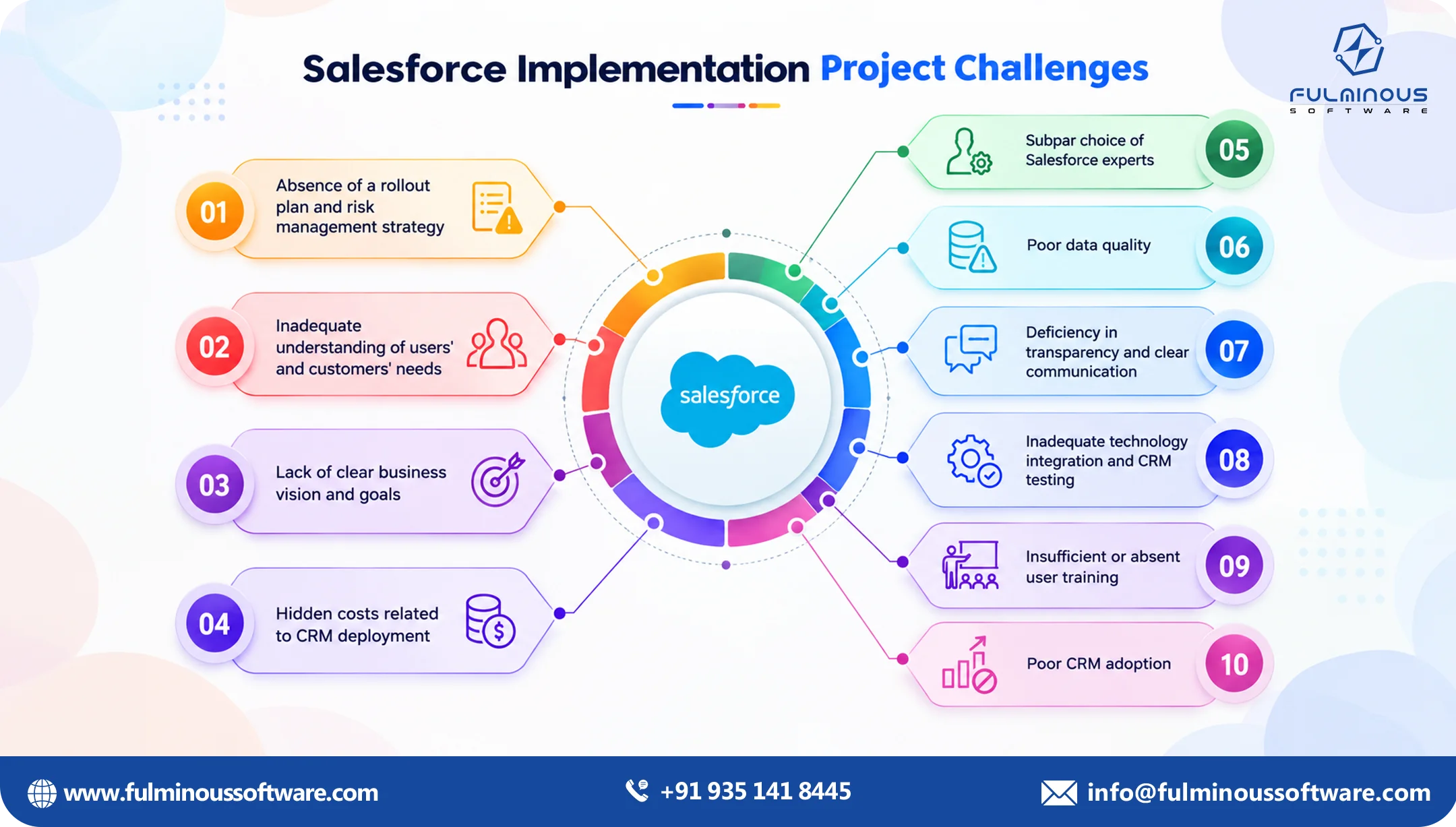
What to Expect From a Salesforce Implementation
Many businesses ask what is Salesforce implementation or what to expect from a Salesforce implementation. A Salesforce implementation should be treated as a sequence of decisions and controlled changes rather than a single installation task.
The early stages of the Salesforce development lifecycle focus on requirements and architecture. The middle stages build, integrate, migrate, and test the solution. The release stage moves validated changes into production, while the post-launch stage focuses on adoption, monitoring, and future improvements.
The exact Salesforce implementation process and Salesforce implementation methodology vary between organizations. A smaller project may use a relatively simple Salesforce implementation methodology and release process. An enterprise project may require multiple sandboxes, formal architecture review, source control, automated validation, data migration rehearsals, user acceptance testing, and formal release governance.
Who will assist you in the Implementation of Salesforce?
If you are thinking about who will assist you in the Salesforce implementation process, how to implement Salesforce, or who can make Salesforce implementation smooth for you, here is the right choice in front of you. Fulminous Software has been performing Salesforce implementations for a long time, and you can approach us to get on the right track with implementing Salesforce for your Salesforce implementation plan.
Conclusion
So, here you got the answer for how to implement Salesforce and what is salesforce implementation. The Salesforce development process offers a structured path from business requirements to a tested production solution. The seven phases of the Salesforce implementation roadmap—discovery and planning; solution design; configuration and development; data and integration; testing and validation; deployment and release; and adoption and continuous improvement—help teams organize responsibilities and control changes throughout the Salesforce implementation plan.
A practical Salesforce development process plan should define what work is done in each phase, who does it, what is produced, in what environments, and what must be in place before the next phase can begin.
See our Salesforce implementation team for information about implementation support for organizations that are evaluating the commercial side of the project.
For technical development, see custom Salesforce development services. Post-production launch ongoing work can include Salesforce support and maintenance.
FAQs
Q1. What is Salesforce development process?
Controlling dependencies, security, testing and release decisions throughout the project. The Salesforce development process is a structured lifecycle that takes a business requirement from discovery, solution design, configuration or coding, data and integration work, testing, deployment to post launch improvement.
The process can be done using declarative configuration, Apex, Lightning components, APIs, packages, Salesforce CLI, source control, and deployment tools as needed.
Q2. What are the phases of a Salesforce implementation?
The seven phases covered in this guide are discovery and planning, solution design and architecture, configuration and development, data and integration, testing and checking, deployment and release, and user adoption and improvement. These steps can be combined or split by organizations based on the project size and the work process.
Each phase has different people responsible for the work, expected results, tasks that are dependent on other tasks and conditions that need to be met before moving to the next phase.
Q3. How long does a Salesforce implementation take?
You may ask how to implement Salesforce. There is no set length to a Salesforce development process. This is because the timeline is impacted by business-process complexity, data volume and quality, integrations, custom development, security requirements, testing scope, stakeholder availability and the number of Salesforce products or environments that are part of the project.
Instead of a generic claim on project duration, a reliable Salesforce implementation timeline should be estimated phase by phase using verified delivery data.
Q4. What is a Salesforce implementation roadmap?
A Salesforce implementation process roadmap is a detailed plan that outlines major project phases, key activities, ownership, major decisions, testing, releases and post-go-live activities. It outlines how a project moves from specific business needs to a functioning Salesforce system.
It lets all of us see clearly what comes next. It also helps teams and stakeholders understand how configuration, development, data, testing and deployment fit together.
Q5. What should I expect from a Salesforce implementation?
There are many steps that go into Salesforce implementation such as understanding business needs, planning for the solution, setting up and building Salesforce, data preparation, integrating other systems, testing, deployment, user training and ongoing updates. The precise steps will depend on the size of the project and the needs of the business. It’s not a technical setup and you’re done.
Stakeholders should be involved throughout the project. Business users need to validate and approve requirements, work processes, data, user access and testing requirements in different stages.
Q6. How does Salesforce development work?
Salesforce development develops features for business needs with built-in settings and custom code. Teams then validate these changes and move them to production in a controlled way. Depending on the project, teams might use Salesforce Flow, Apex, Lightning components, APIs, Salesforce CLI, source control, packages and other supported tools.
Your development should be based on the business need. Not every Salesforce implementation process requires custom code.
Q7. What is the Salesforce development lifecycle?
The Salesforce development lifecycle is a process that helps you understand business needs, solution planning, building or configuring features, data and integrations, testing changes, releasing to production, and system monitoring after launch. Teams will do this process again with new updates or changes.
A clear development process helps teams to track changes and reduces the risk of delivering features that have not been tested in the production system.
Q8. Do you need sandboxes for Salesforce development?
Salesforce sandboxes are separate environments that can be used for development, testing, training, and staging. Depending on the development process, data needs, testing needs, team size and release process, a project might require one or more sandboxes. There is not one sandbox setup that every Salesforce project has to use.
There are four types of sandbox environments in Salesforce. They are Developer, Developer Pro, Partial Copy and Full Sandbox. Each kind has different data options and refresh rates.
Q9. What test coverage does Salesforce require to deploy to production?
Salesforce’s standard rules for production deployments require Apex unit tests to be run and pass with at least 75% code coverage. Triggers need test coverage as well. Different coverage results can be obtained depending on the test level selected for deployment. Teams need to check the guidelines for their preferred deployment strategy before release.
 Verified
Expert in Software & Web App Engineering
Verified
Expert in Software & Web App Engineering
I am Manish Kumawat, co-founder of Fulminous Software, a top leading customized software design and development company with a global presence in the USA, Australia, UK, and Europe. Over the last 10+ years, I am designing and developing web applications, e-commerce online stores, and software solutions custom tailored according to business industries needs. Being an experienced entrepreneur and research professional my main vision is to enlighten business owners, and worldwide audiences to provide in-depth IT sector knowledge with latest IT trends to grow businesses online.


Partner with Top-Notch Web Application Development Company!
Discuss your Custom Application Requirements on info@fulminoussoftware.com or call us on +91-935 141 8445.
15 Days Risk-Free TrialRecommended Articles